HHubAI.uk
HUBAI PROFESSIONAL GUIDE

AI tools for estate agents and property teams

Create stronger listings, visualise spaces, qualify leads and turn one property shoot into a complete marketing campaign.

Estate agents AI product workflow
What to improve first01Generate property descriptions02Virtual staging and renovation concepts03Create walkthrough and social video04Score and route enquiries05Summarise calls and viewings06Build local market reports
RECOMMENDED STACK

Tools matched to the work

How we score →
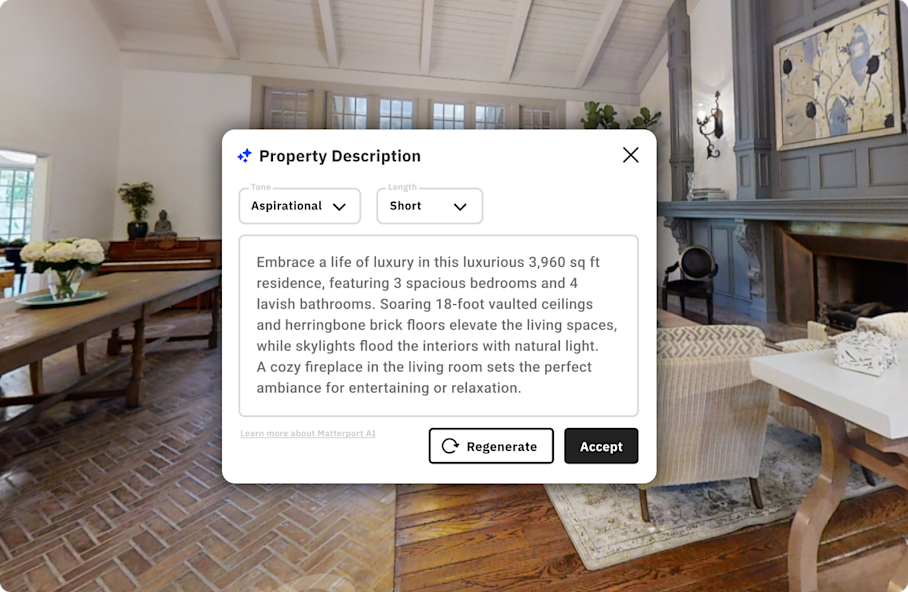
Matterport product interface8.9
Product interface
Digital twins and AI property descriptions

Matterport

Property and space-based plansDemo available
+ Immersive property presentation+ Structured property intelligence
Capture hardware/workflow requiredCost depends on portfolio
Add to comparison
ReimagineHome product interface8.4
Product interface
Virtual staging and design concepts

ReimagineHome

Credit-based plansLimited free use
+ Fast staging variations+ Useful for empty rooms
Visuals must be disclosedNot a substitute for accurate condition photos
Add to comparison
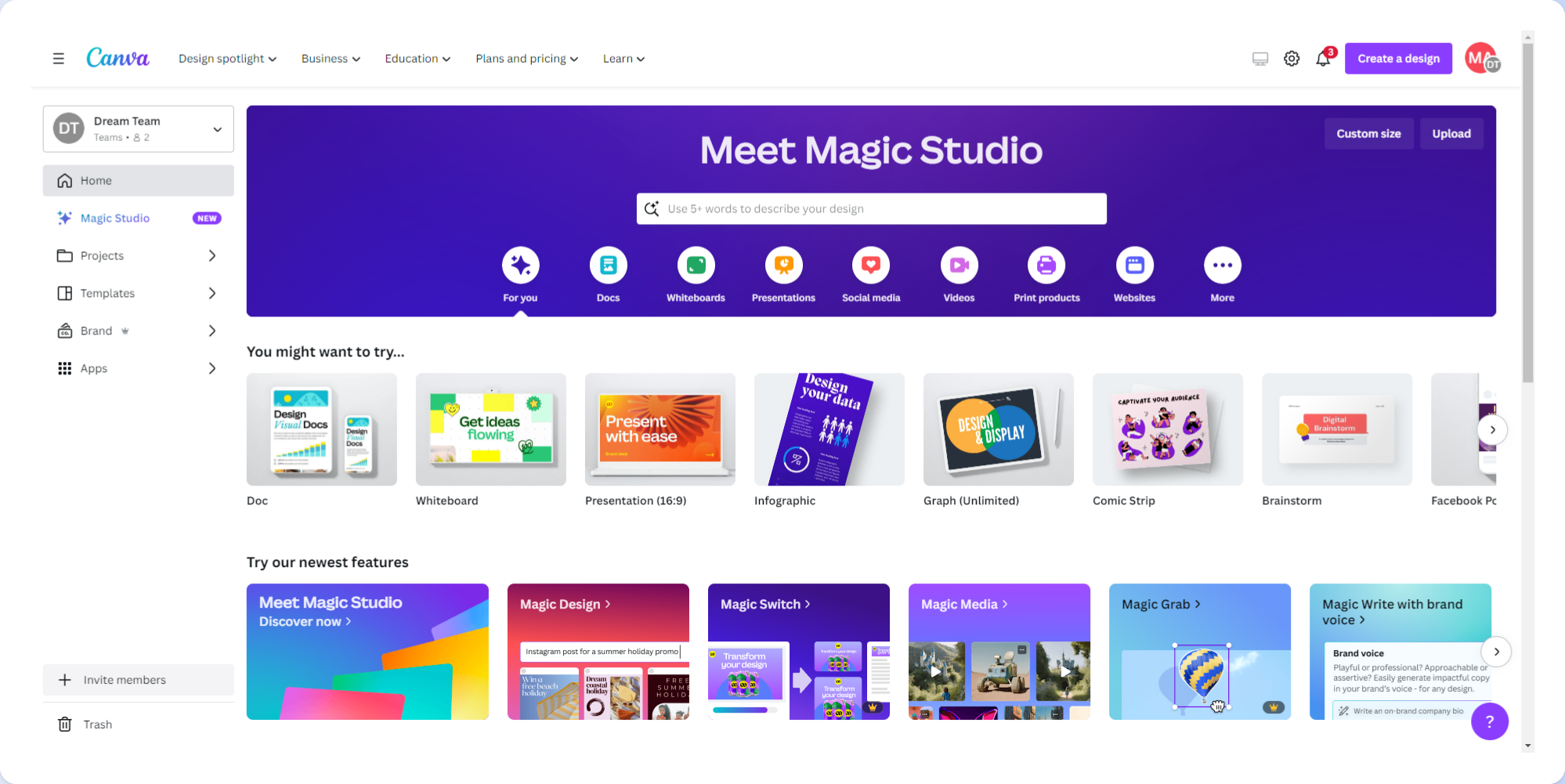
Canva Magic Studio product interface8.7
Product interface
Listing graphics and campaign assets

Canva Magic Studio

Free and Pro plansFree plan
+ Many property templates+ Easy multi-format resizing
Generic output needs brand controlTeam features require paid plan
Add to comparison
OpusClip product interface8.3
Product interface
Turn tours into social clips

OpusClip

Free and paid credit plansFree credits
+ Fast short-form repurposing+ Captions and reframing
Needs human selectionLess control than a full editor
Add to comparison
OFFICIAL PRODUCT DEMO

Rex AI for estate agents — official product demo

Watch the workflow, then compare cost, controls and fit with the scorecards above.

BUYING CHECKLIST

Before you pay

  1. 01Protect floorplan, owner and tenant data
  2. 02Require visual-AI disclosure
  3. 03Check portal export formats
  4. 04Measure cost per marketed property, not per seat